
All your repositories, under control.
SpiderGit is the git client for people who work with many repositories. Separate workspaces for clients and projects, a dashboard with the status of every repository on a single screen, and all the everyday git tools, no terminal required.
The problem
Ten clients, fifty repositories, one of you.
When projects multiply, working with git gets fragmented.
One terminal per repository
git status typed by hand in ten folders, the forgotten fetch.
Work left half-done
The local branch that was never published, the change left half-done in a project you opened last week.
One repository at a time
Traditional git clients help, but they show one repository at a time.
SpiderGit starts from the question you ask yourself every morning: “where do all my repositories stand?”
Dashboard
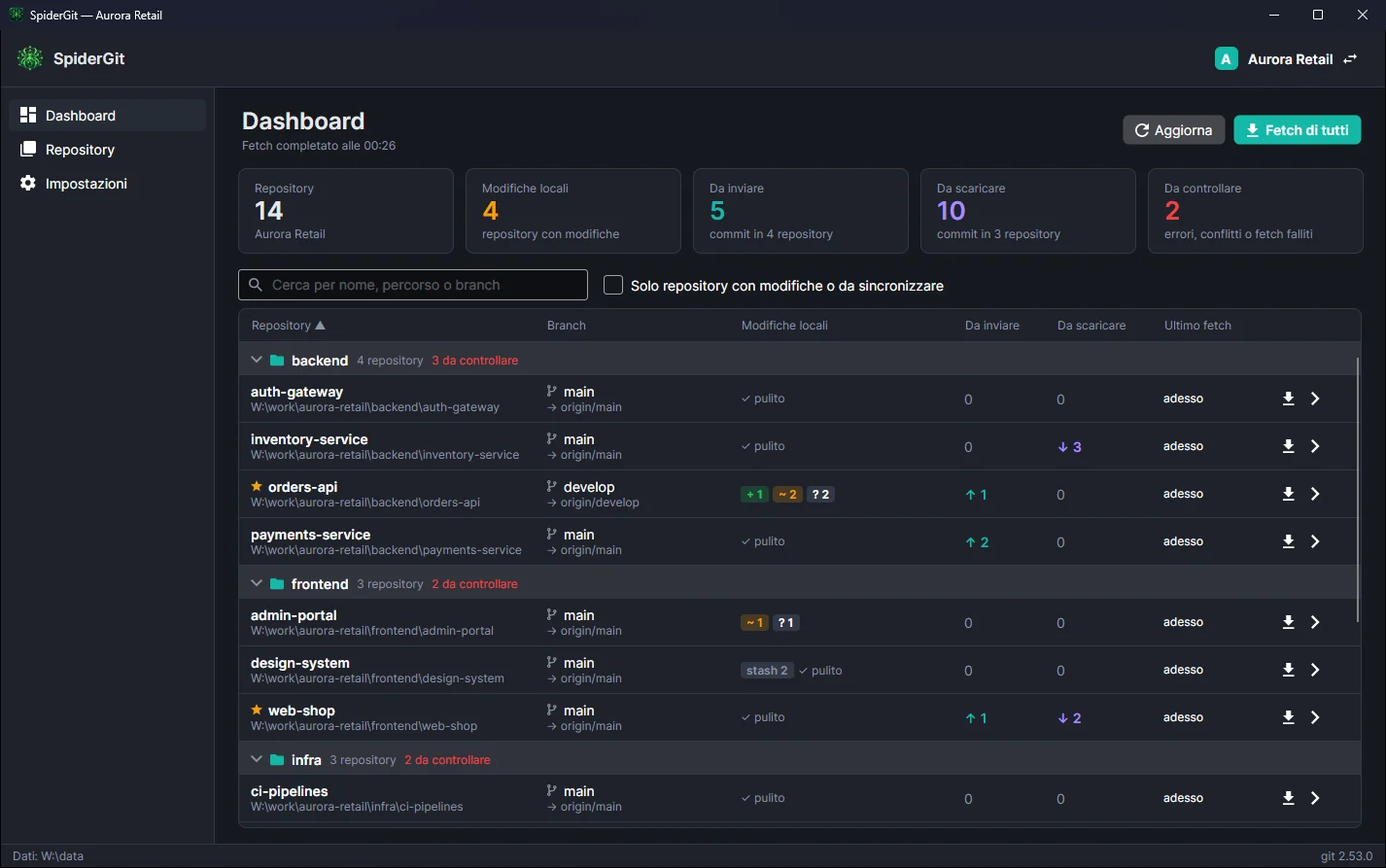
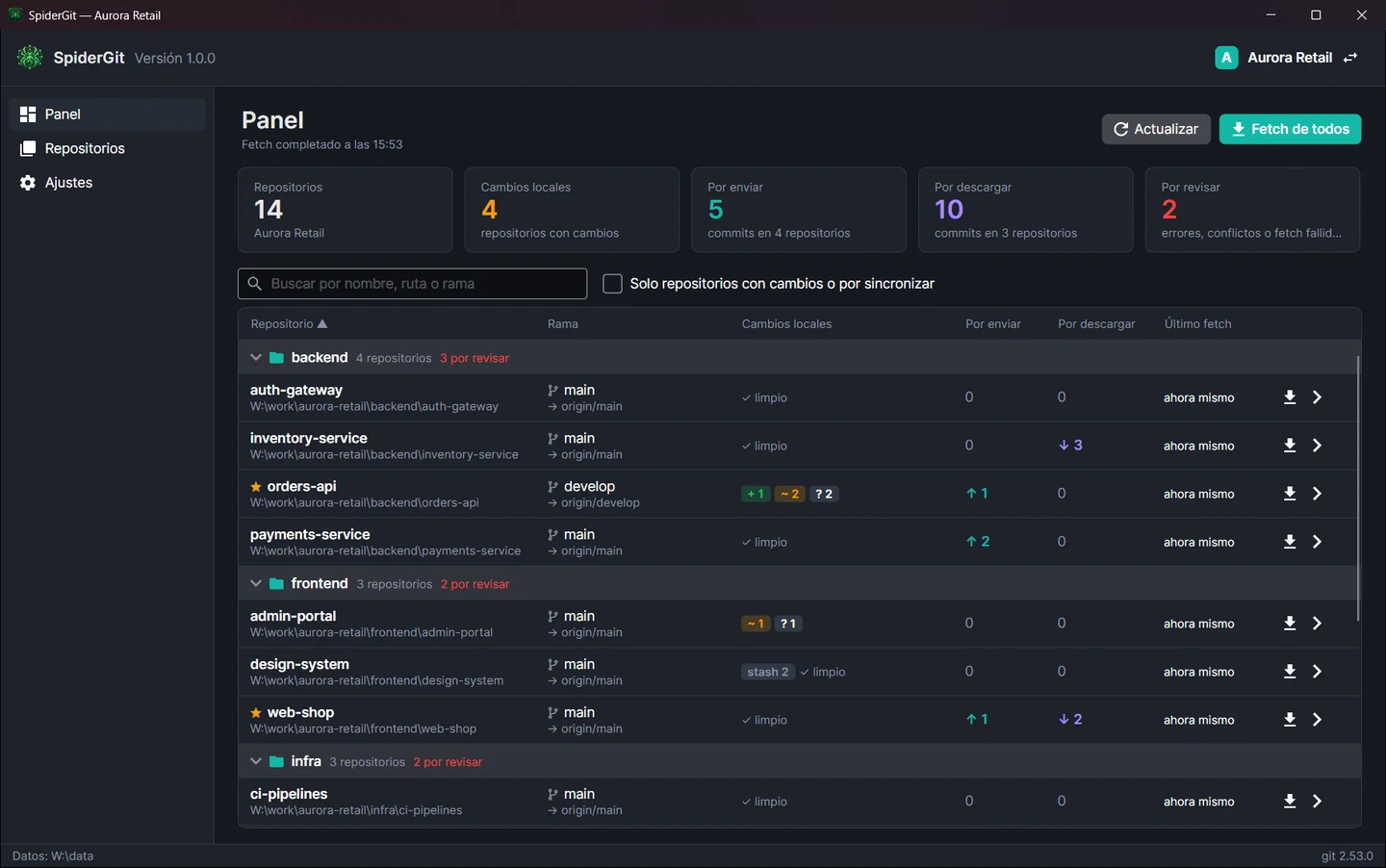
The status of everything, on one screen.
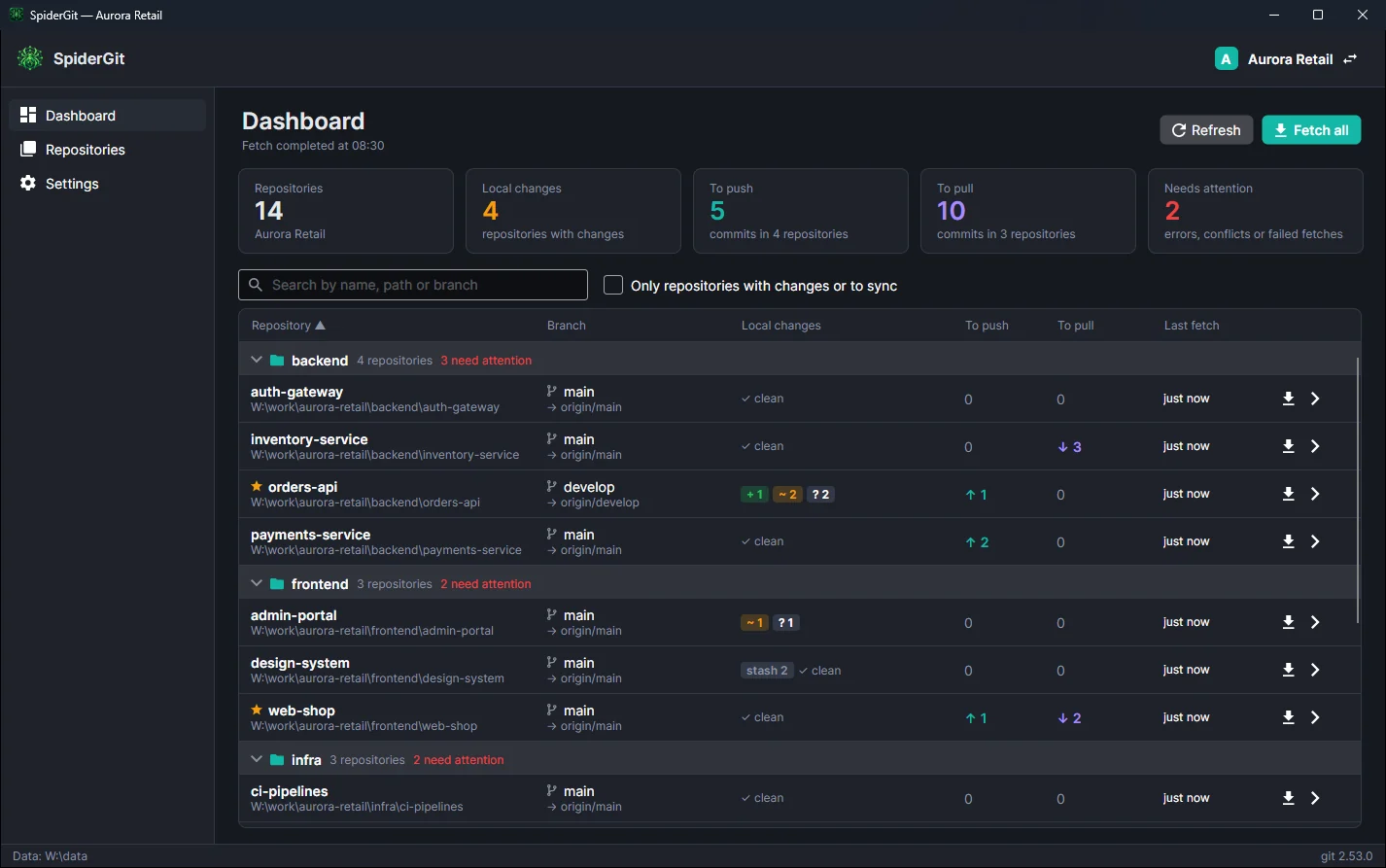
The dashboard lists every repository in the workspace with the information that matters: current branch and upstream, modified, staged and untracked files, commits to push and to pull, stashes, conflicts, errors, time of the last fetch. At the top, the totals: how many repositories have changes, how many commits are waiting to be pushed, how many need updating, how many need attention.
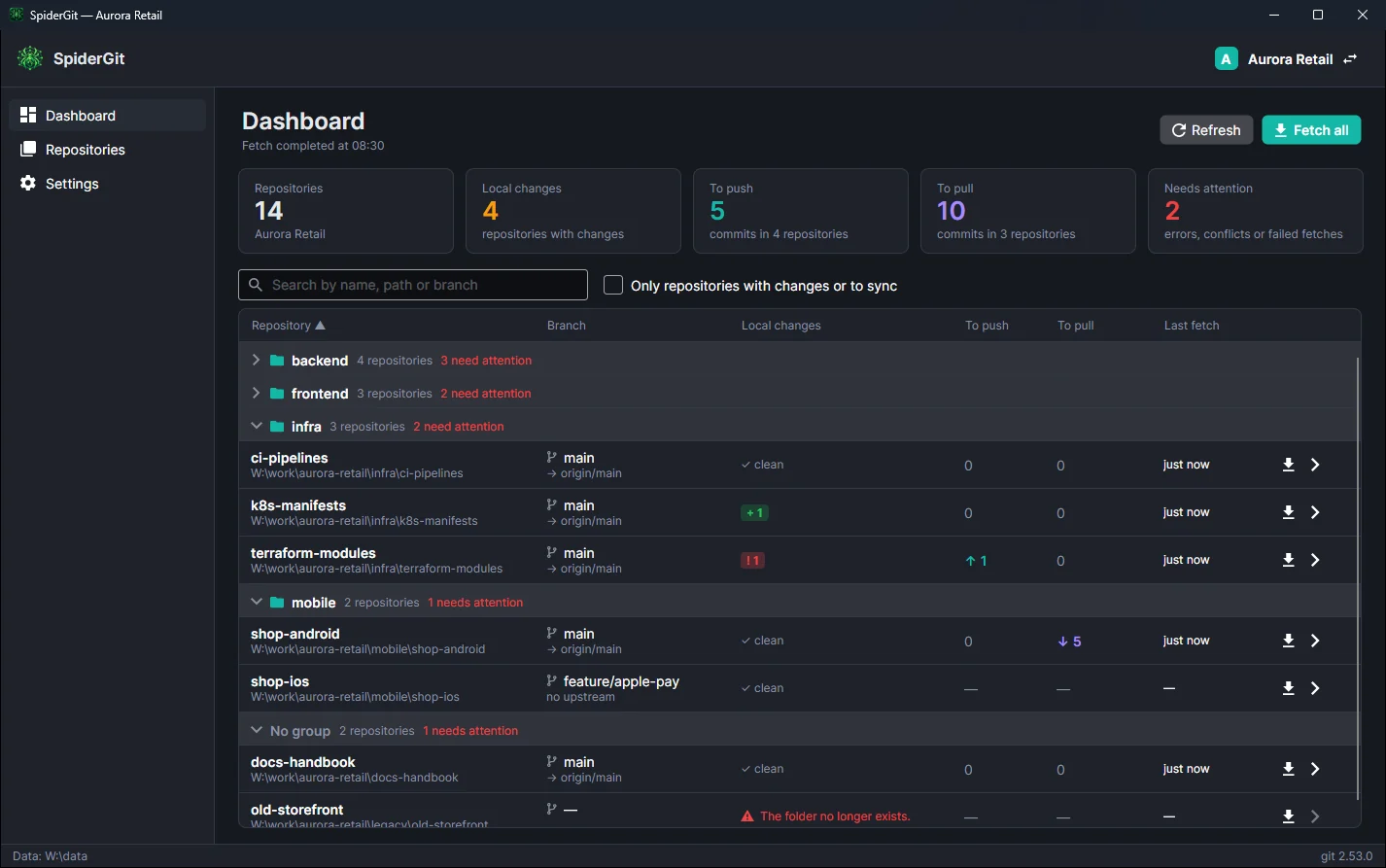
- Repositories grouped (backend, frontend, mobile…) with the count of those that need attention.
- Fetch all in the background, in parallel, without blocking you.
- “Only repositories with changes or to sync” filter to see right away where to act.
- Search by name, path or branch; sort by any column.
Workspaces
One workspace per client.
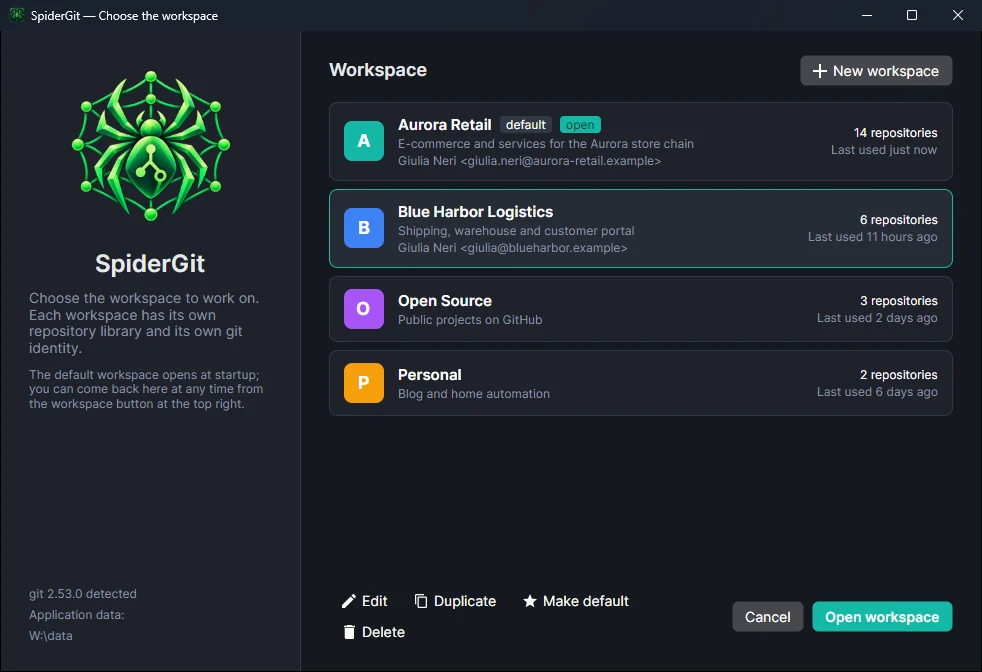
Organize your work in workspaces: one per client, per company, for open source projects, for personal ones. Each workspace has its own repository library, its own groups, its own color and its own git identity: commits made in a client’s repositories use the right name and email, without touching your global configuration.
Switch workspaces with one click; the default one opens at startup.
Folder scan
Fifty repositories, one minute.
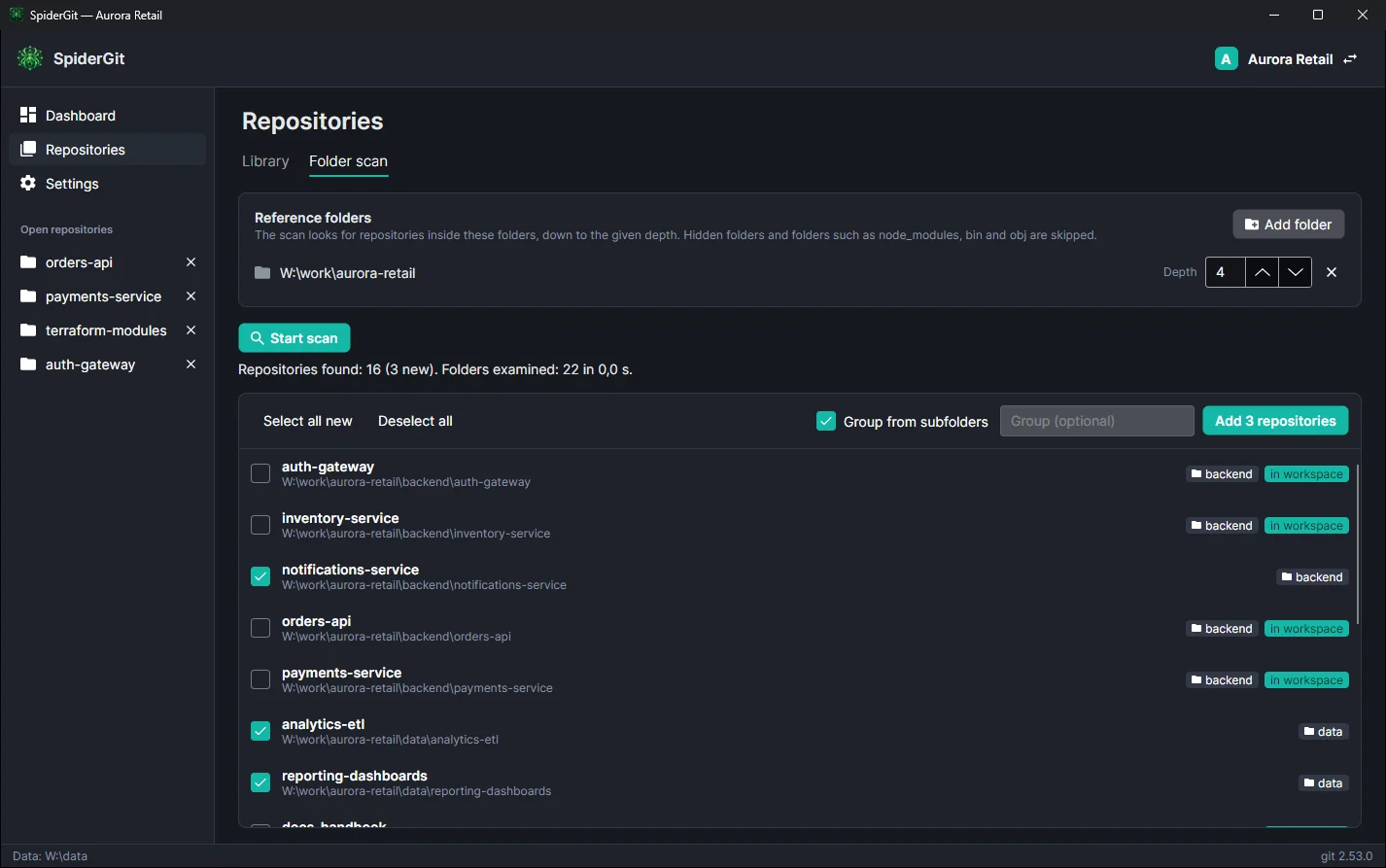
Point SpiderGit at the folders you work in: it finds every repository inside them, flags the ones already added and suggests a group based on the subfolders: scanning clients/aurora, the repository backend/orders-api lands in the “backend” group without you lifting a finger.
Everyday work
Open a repository and everything is there.
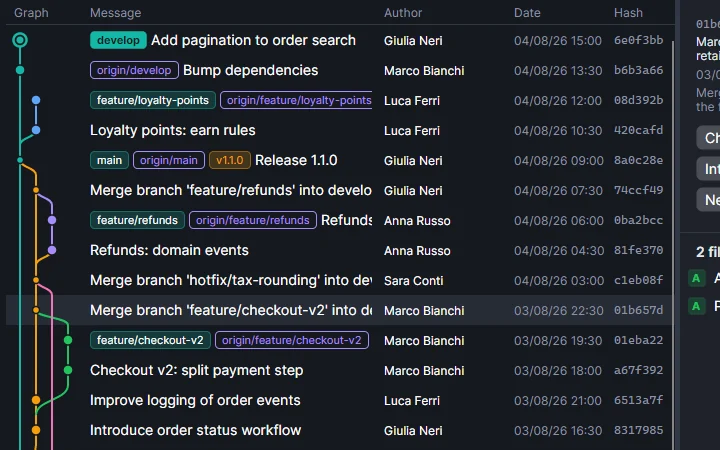
Branch graph
History with the graph, branch and tag labels, search, details of every commit.
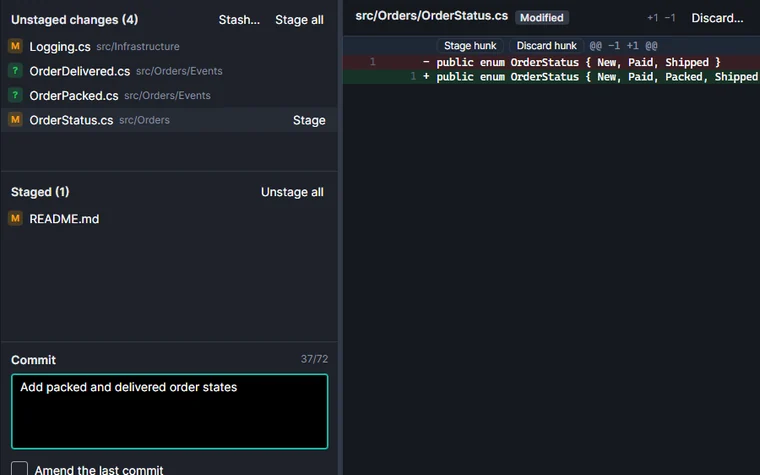
Local changes
Readable diff, stage and discard by file or by single hunk, multiple selection.
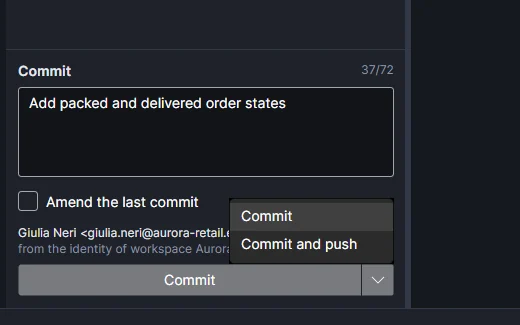
Commit and push
One click to commit, one to commit and push together, from the keyboard too.
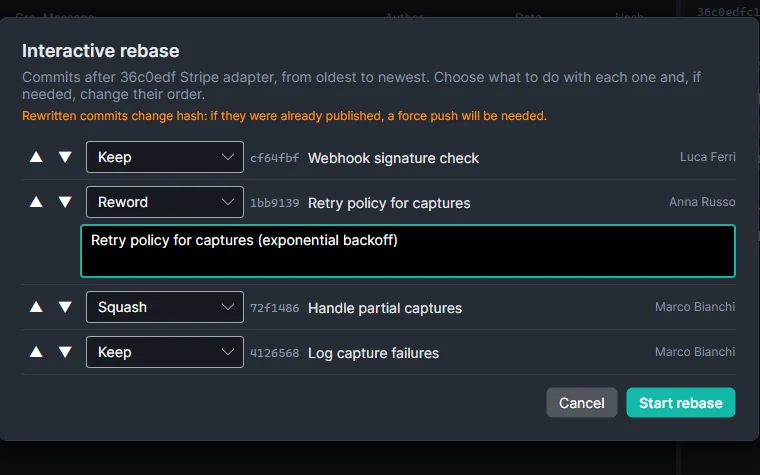
Interactive rebase
Reorder, reword, squash or drop commits without a text editor.
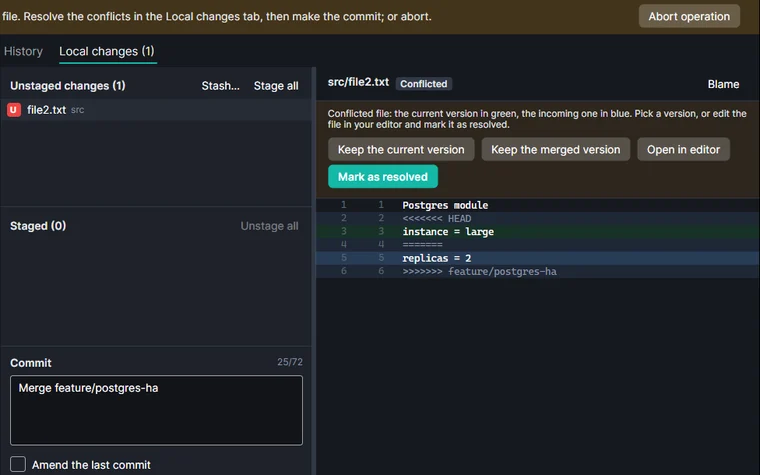
Conflicts
A clear banner, current or incoming version in one click, continue or abort.
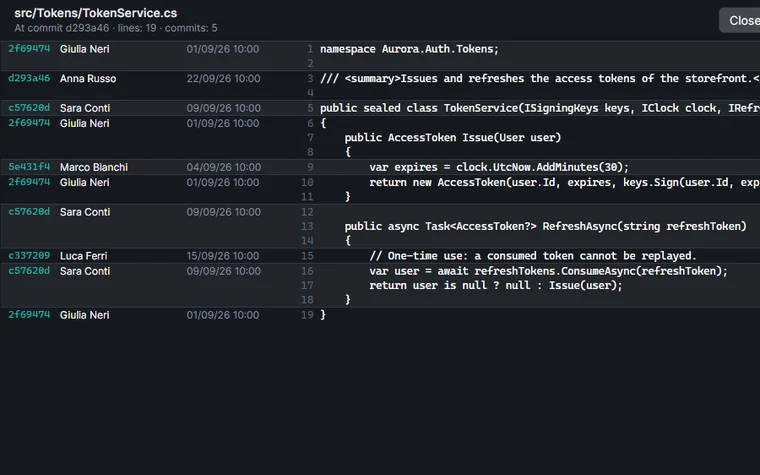
Blame
Who wrote every line, in which commit and when.
Uses your git
No magic: it’s your git.
SpiderGit doesn’t reimplement git: it runs the one installed on your computer. Your configuration, SSH keys, Git Credential Manager or whatever credential helper you use, hooks and Git LFS all apply. What you do in SpiderGit is exactly what you would do in the terminal, and you can switch between the two whenever you like.
- git config
- SSH keys
- Git Credential Manager
- credential helper
- hook
- Git LFS
Multilingual and cross-platform
In your language, on your system.
SpiderGit is available in English, Italian and Spanish and follows the system language; you can change it any time in the settings. It runs on Windows, Linux and macOS (Intel and Apple Silicon) and doesn’t require installing .NET.
Bring order to your repositories.
Download SpiderGit, add your projects folder and watch the dashboard fill up.